

Step 1: Visit a Partner Diagnostic Center
Present the laboratory request sent or printed by your doctor at any of the following partner diagnostic centers:
- Exact Check (Banawe and Libis)
- Ashrey Diagnostics (Makati and McKinley)
- Fullerton Health (BGC, Taguig)
Step 2: Complete Your Lab Tests
Once your lab tests are completed and payment has been settled, no further action is needed on your end. Simply wait for a notification from NowServing confirming that points have been credited to your account.
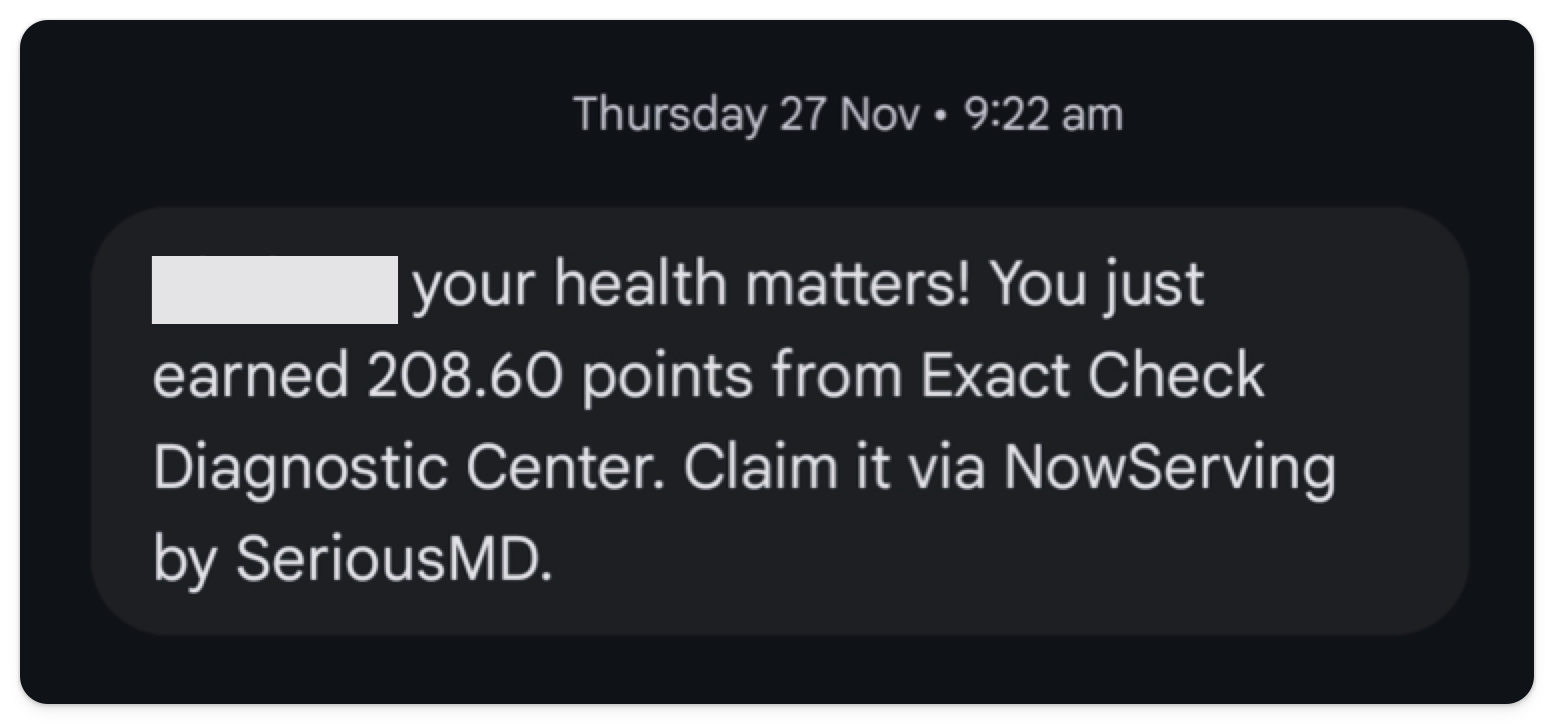
Step 3: Check Your Points in the NowServing App
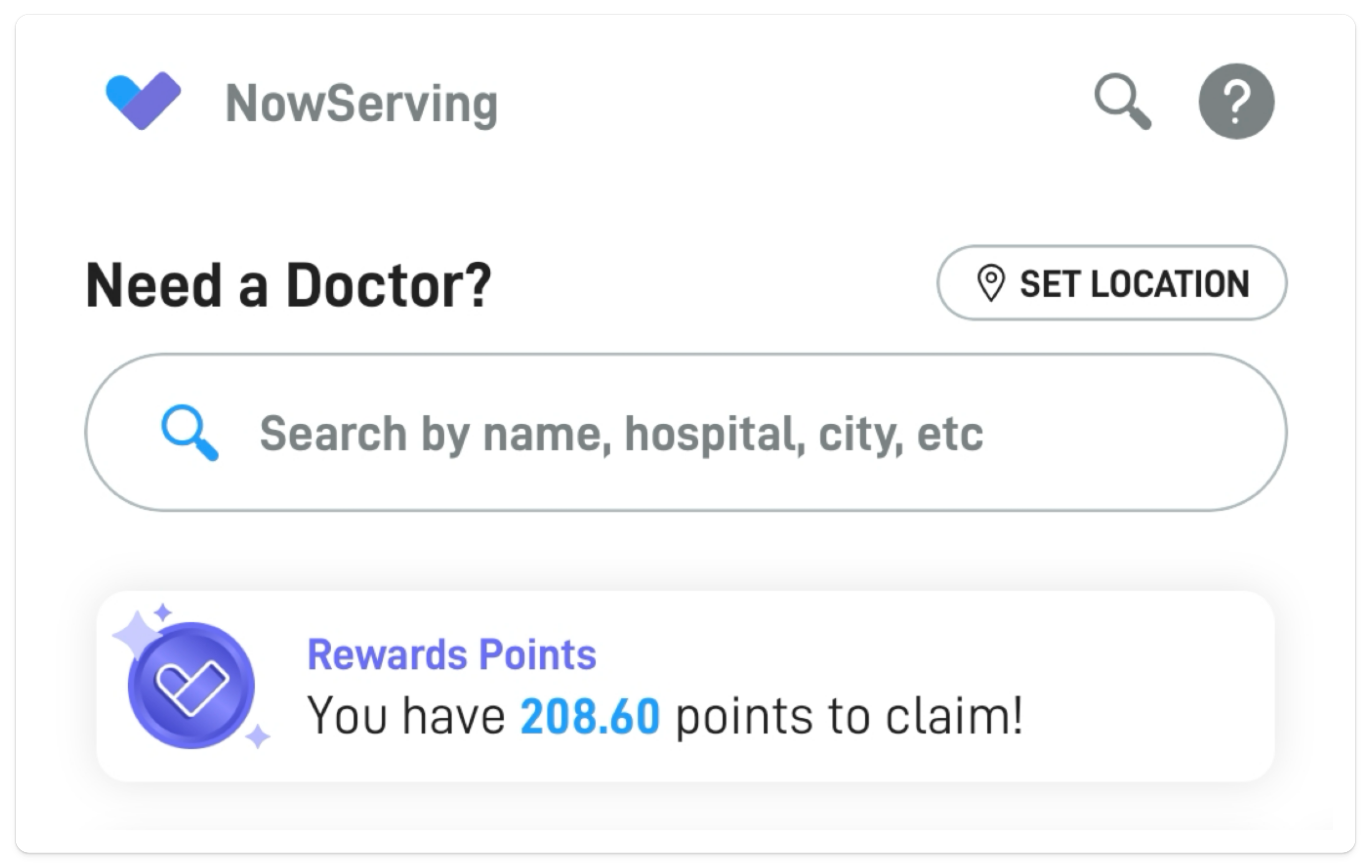
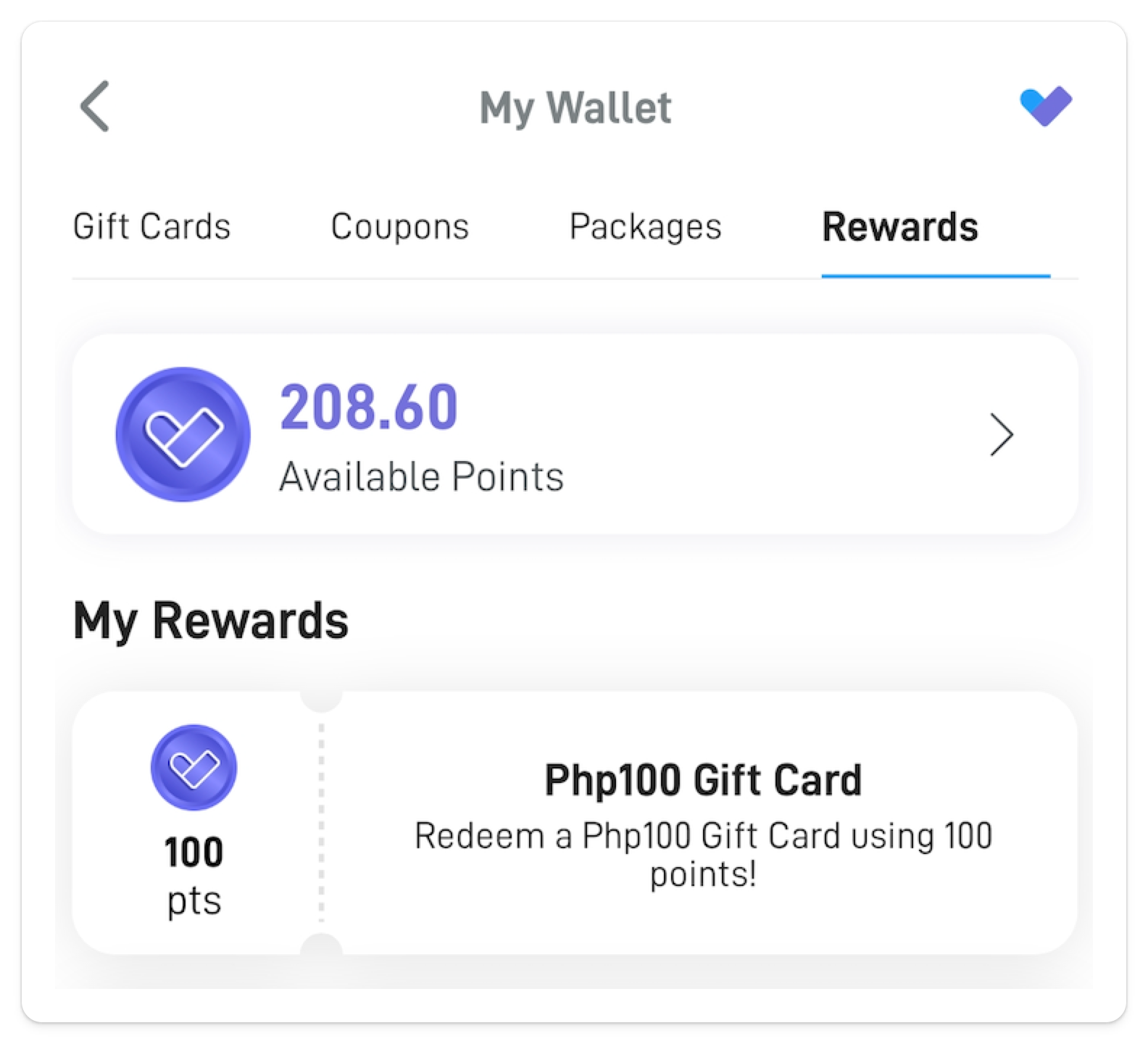
Open the NowServing app and go to the Home section. You will see the points available for redemption displayed on your screen. Tap the points to proceed.
Step 4: Go to the Rewards Dashboard
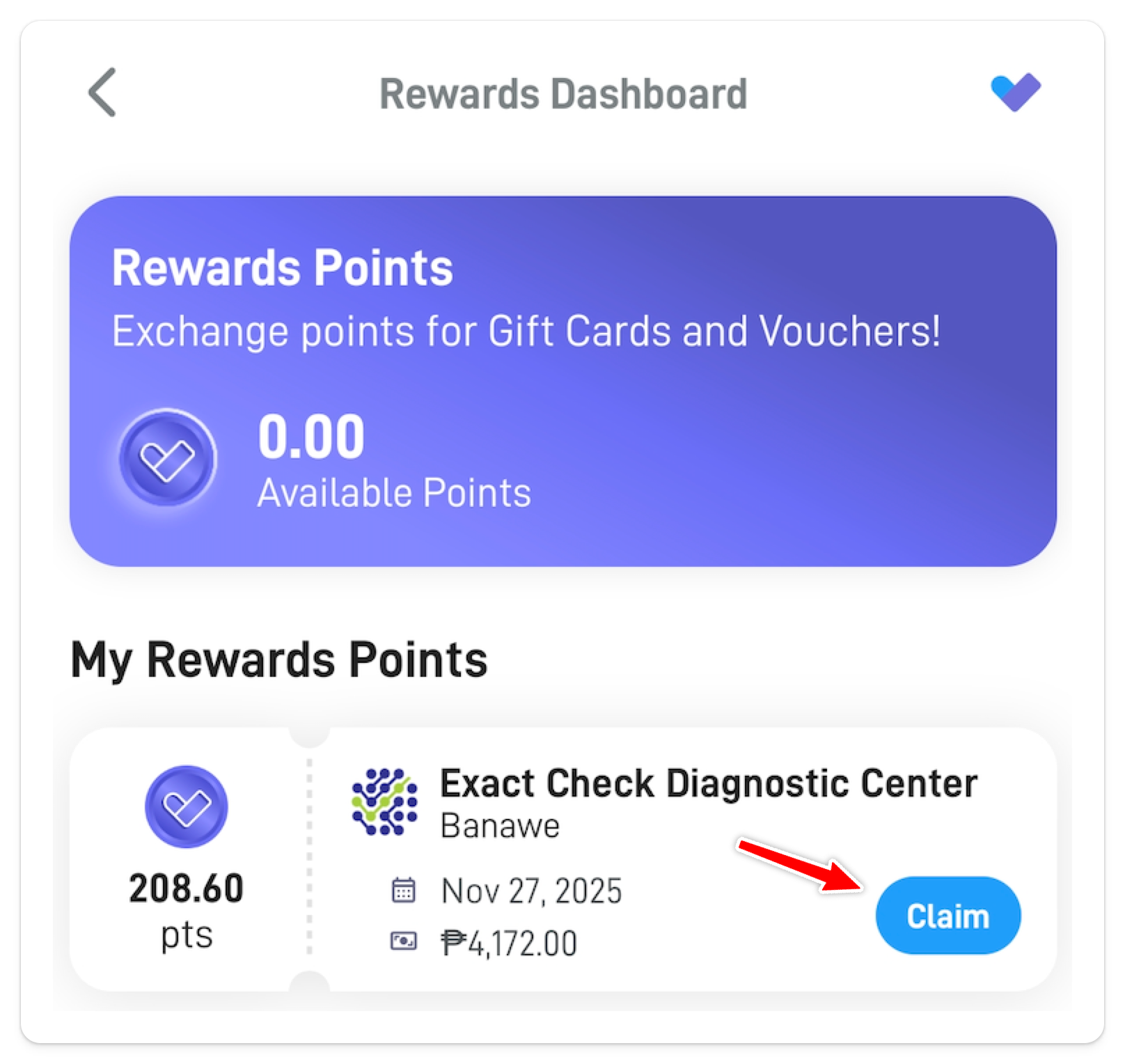
You will be redirected to the Rewards Dashboard, where you can view all available rewards based on your points balance. Select the reward you wish to redeem, then tap Claim.
Step 5: Choose Your Gift Card
Select the gift card that corresponds to the number of points you have earned.
Step 6: Redeem Your Reward
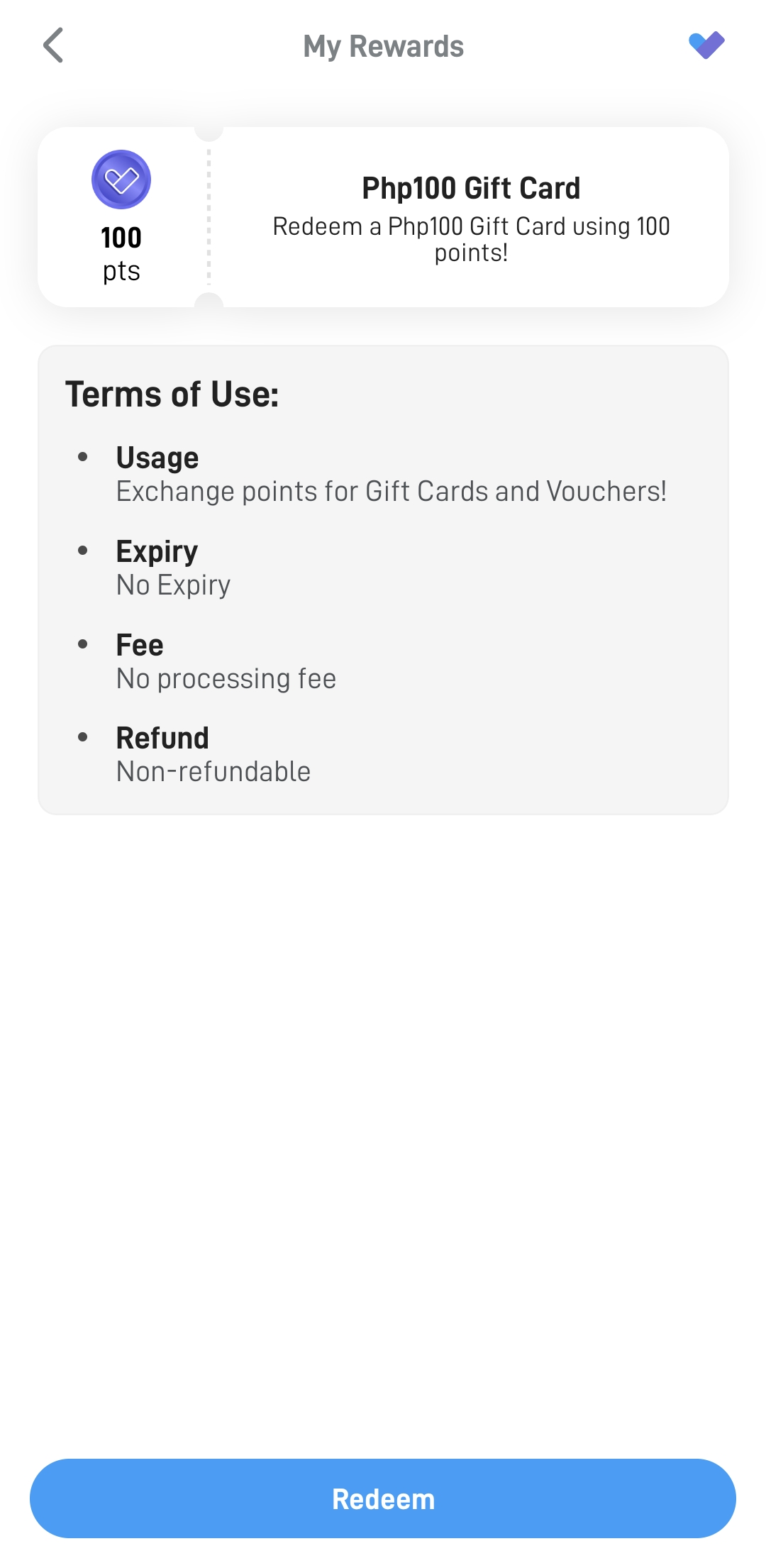
Tap Redeem to confirm your selection. Your gift card will be added to your account.
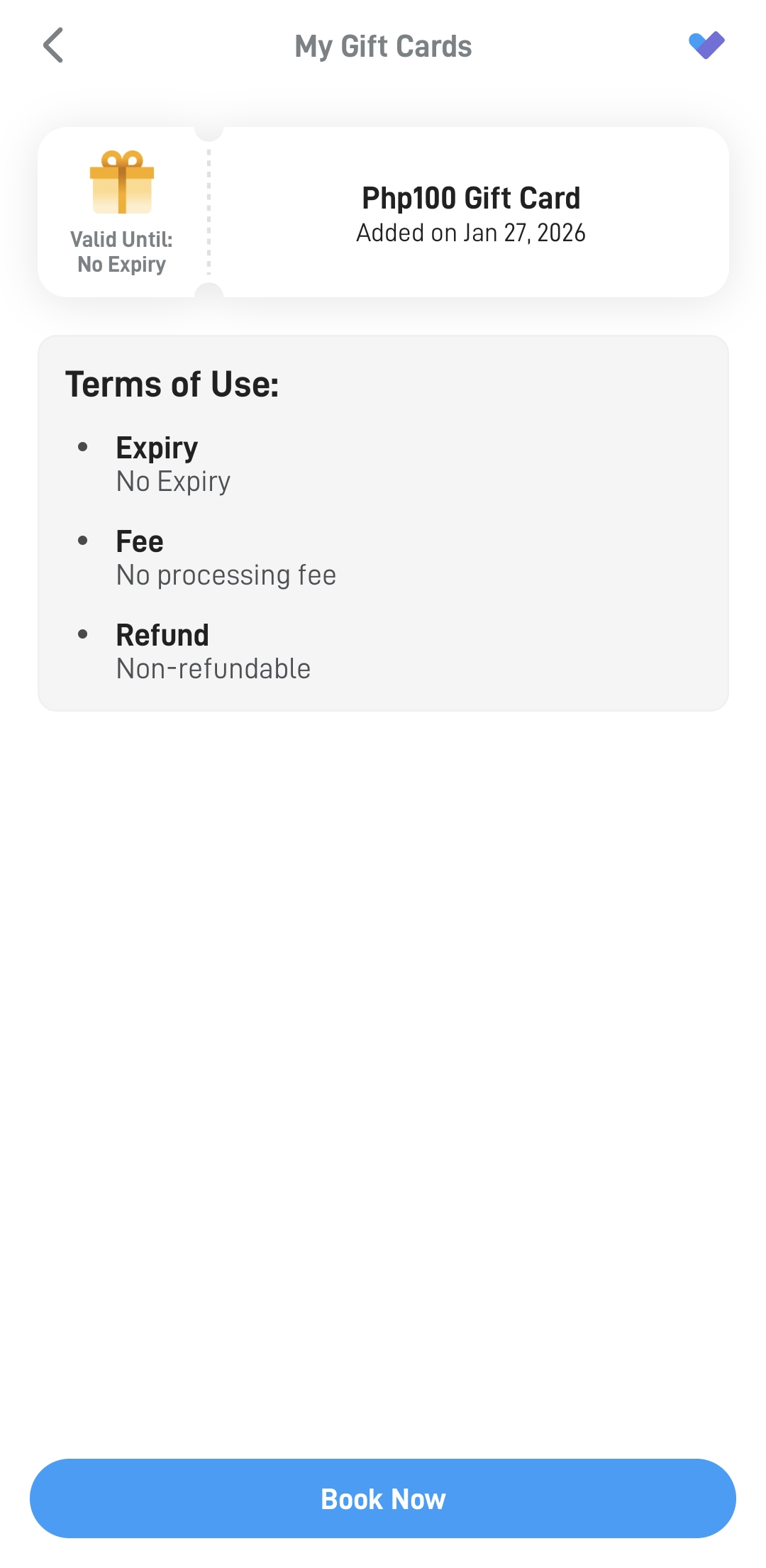
Step 7: Use Your Gift Card
You can now use your redeemed gift card to book an appointment with your doctor through the NowServing app.