


Make Sure You Have a NowServing Account
To message your doctor, you need to have a NowServing account and be logged in.
Download the NowServing app on your smartphone
Log in using your mobile number
⚠️ For privacy and security, all communication should happen inside the NowServing app.
If You Booked Your Doctor Through NowServing
If you previously booked your doctor through NowServing and the doctor accepted your appointment, you already have access to messaging.
All you have to do is sure to log in using the same mobile number used to book an appointment with your doctor.
How to Message Your Doctor
You can message your doctor in either of these ways:
Option 1: Via Messages
Open the NowServing app
Go to Messages
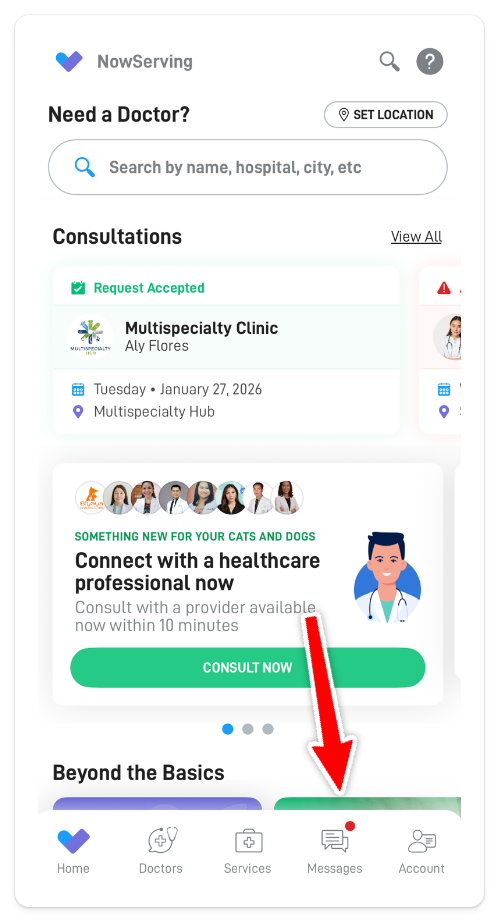
Locate your doctor’s name (there should be a message thread available)
Option 2: Via Consultations
Go to Doctors > Consultations
Tap on the relevant consultation
Tap Send A Message
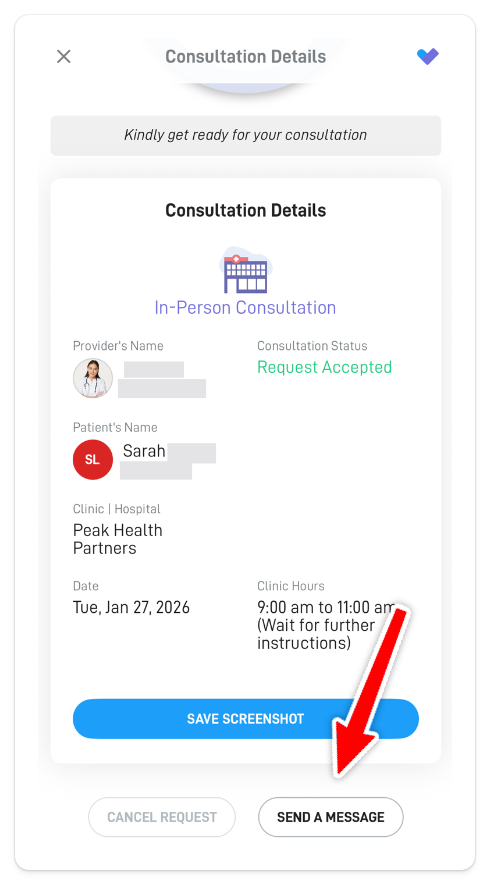
You can now send messages and upload lab results directly in the chat.
If You Did NOT Book Through NowServing
If you met your doctor in person and did not book the appointment through NowServing, you will need to request a NowServing invite from your doctor.
How the Invite Works
Your doctor will send you an SMS invite from their account
The SMS contains an invite link
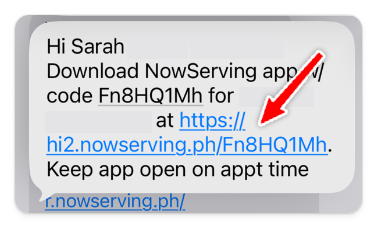
💡 Tip: It’s best to download the NowServing app and log in using the same mobile number where you received the invite. This makes linking your account faster and easier.
Accepting the Invite and Starting the Conversation
Click the invite link sent via SMS
The link will open the NowServing app
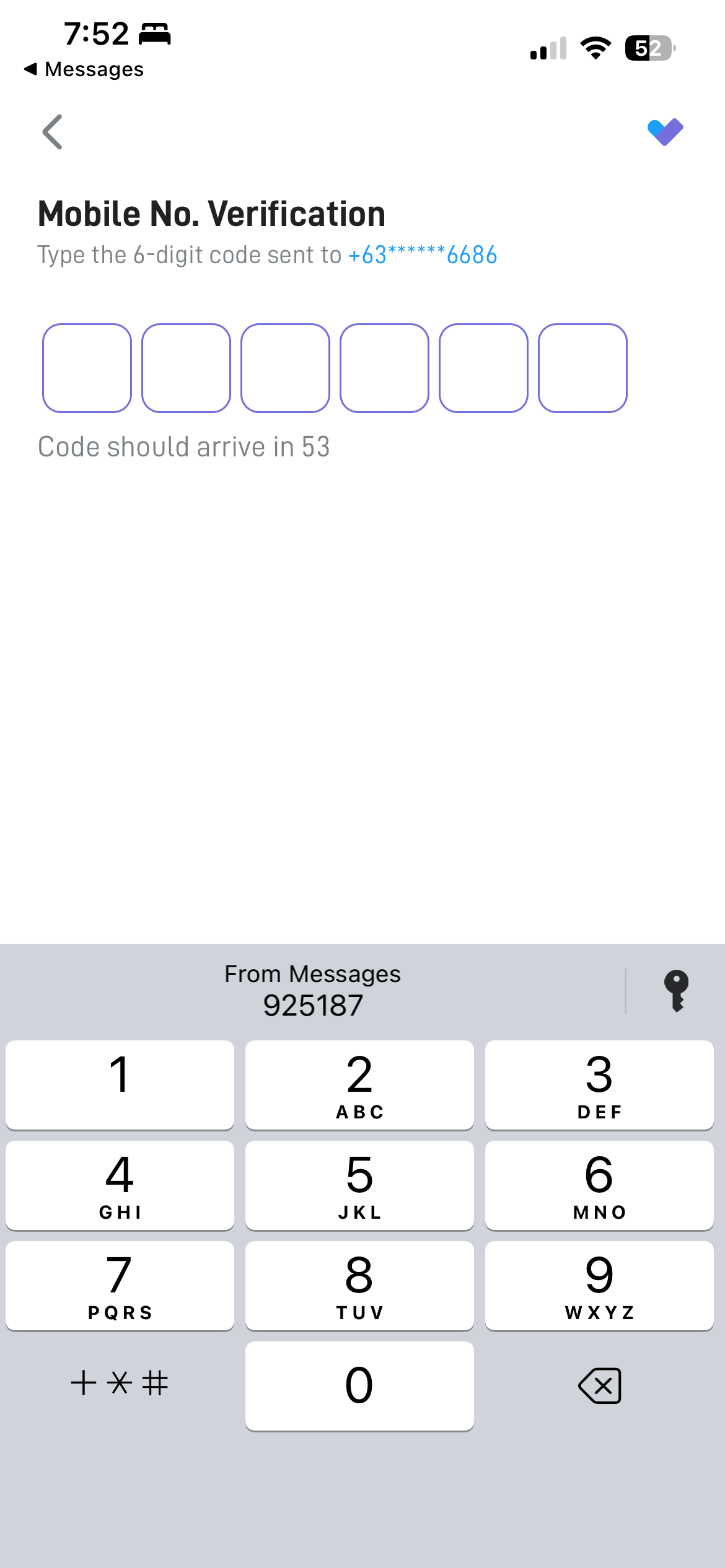
Complete the profile verification steps (accepting consent, OTP verification)
Consent form
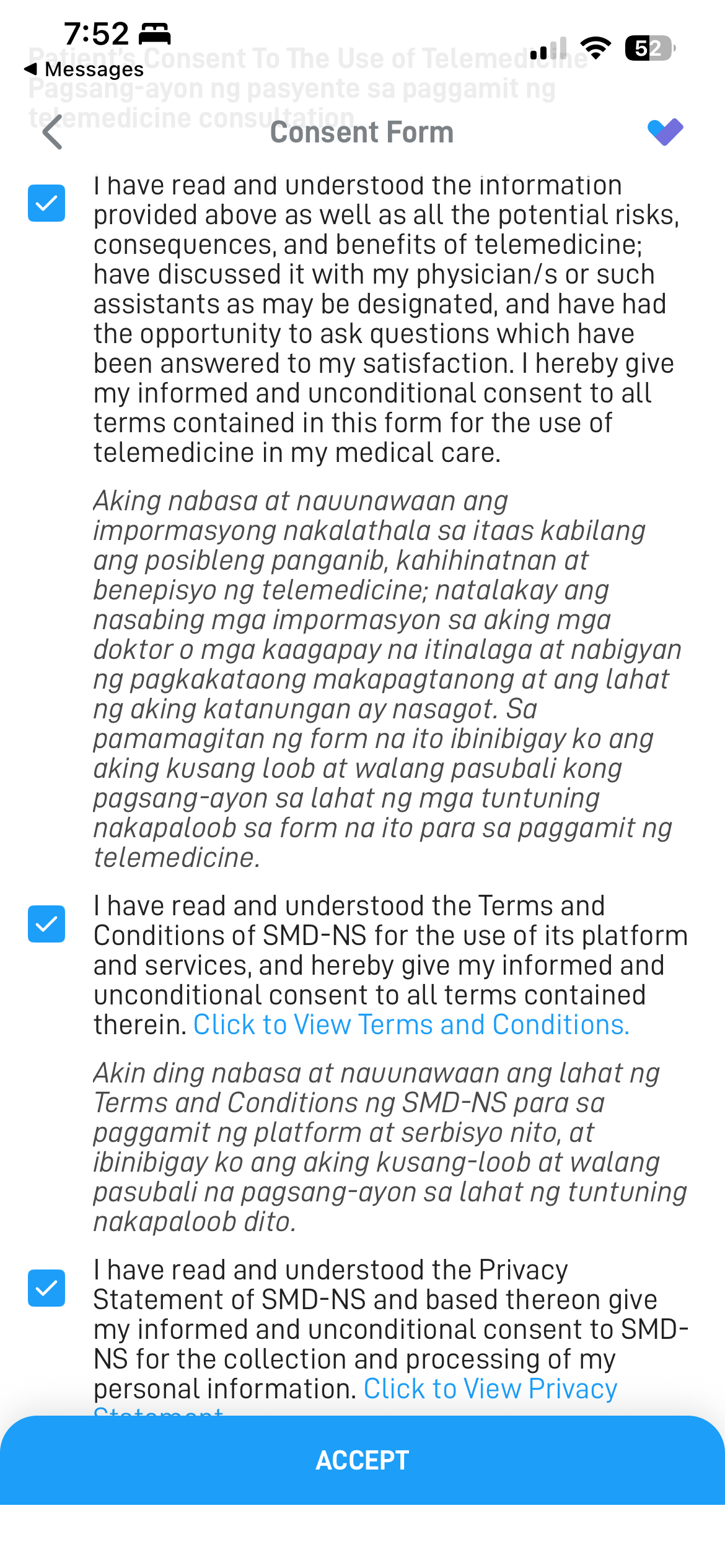
OTP code verification
Once verified, you can immediately start messaging your doctor
✨ And that’s it! You can now message your doctor and send lab results through NowServing.